

ZXP Manager · Version 1.0.0
Your Adobe extensions, on Apple Silicon and Windows.
Drop a .zxp or .ccx file and it's installed in After Effects, Photoshop, Illustrator and every other Creative Cloud app it supports. Free and open source.
ZXP Manager is a desktop app for Mac and Windows.
ZXP Manager is available for macOS and Windows.
Prefer no installation on Windows? Get the portable .zip
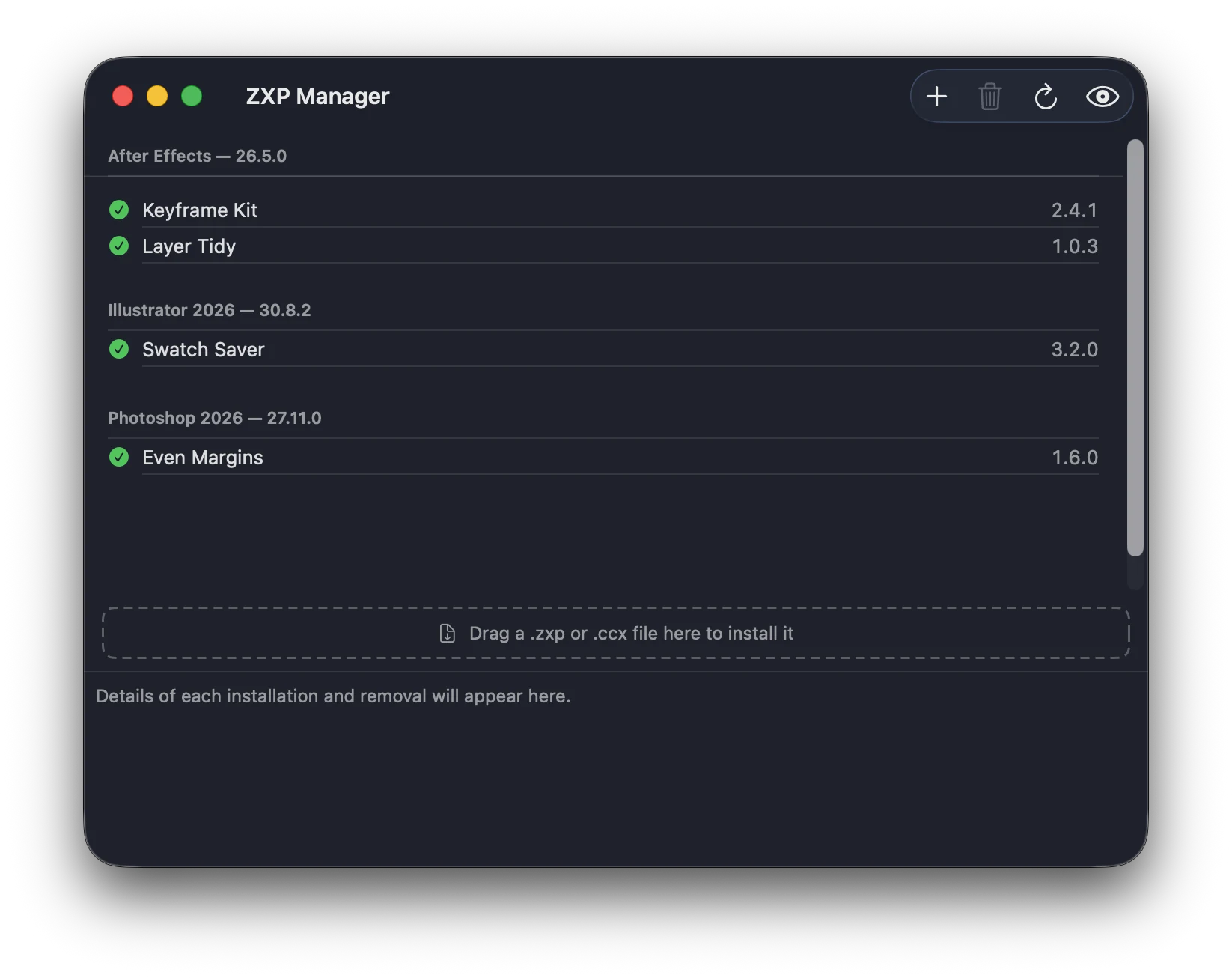
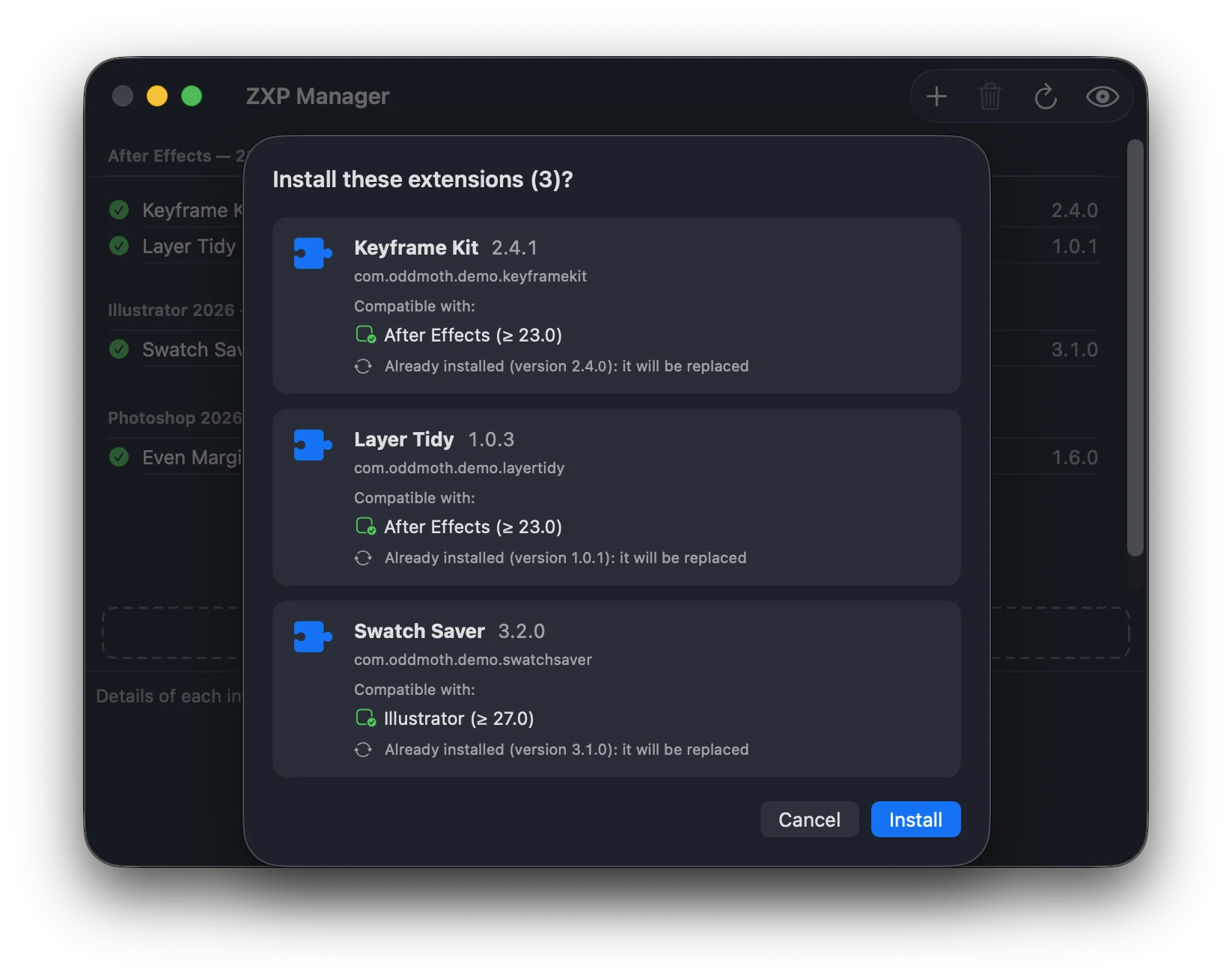
Preview
Know what you're installing.
Before anything is installed, ZXP Manager shows the name, version and compatible apps of each package, and tells you if you're replacing a version you already have.
One small app. Every extension in one place.
Drag, drop, done
Drop files on the window or the app icon, or double-click them. Several at once are queued.
Everything in one list
Installed extensions grouped by Adobe app, with their versions.
Remove with one click
No folders to dig through, no leftovers.
.zxp and .ccx
Classic extension panels and the newer UXP plugins, through the same window.
Speaks 64 languages
It follows your system language automatically.
Native and tiny
SwiftUI on Mac, WPF on Windows. A few megabytes, light and dark mode.
Built for Apple Silicon
Native on M-series Macs. No Rosetta, no Intel code.
Adobe's own installer
It uses the plugin installer that ships with Creative Cloud and never patches Adobe software.
Open source
MIT license, no account, no tracking. Read every line on GitHub.
The first time you open it
ZXP Manager isn't signed with a paid Apple or Microsoft certificate yet, so your computer asks you to confirm. Only once.
macOS
Open the app, click Done, then System Settings → Privacy & Security → Open Anyway.
Windows
If SmartScreen appears, click More info, then Run anyway.
FAQ
My panel doesn't show up in Photoshop on a Mac.
On Apple Silicon, Photoshop loads .zxp panels only with Rosetta: select Photoshop in Applications, choose File → Get Info and turn on Open using Rosetta. Or install the .ccx version, if there is one.
The Adobe app says the extension isn't signed.
Adobe apps only open .zxp extensions signed by their developer. ZXP Manager can install an unsigned package, but the app won't load it: ask the developer for a signed version.
Does it work on Intel Macs?
No. ZXP Manager is built for Apple Silicon Macs (M1 or later) only.
.zxp or .ccx?
.zxp is the classic format for extension panels, .ccx the newer one for UXP plugins. ZXP Manager installs both.
An alternative to ZXP Installer?
Yes, and to Anastasiy's Extension Manager: the same everyday job, native on Apple Silicon.
Do I need Creative Cloud?
Yes: the Creative Cloud desktop app, installed and signed in. ZXP Manager uses the plugin installer that comes with it.
Free, and staying that way.
If ZXP Manager saves you time, you can support its development with a small one-time contribution.